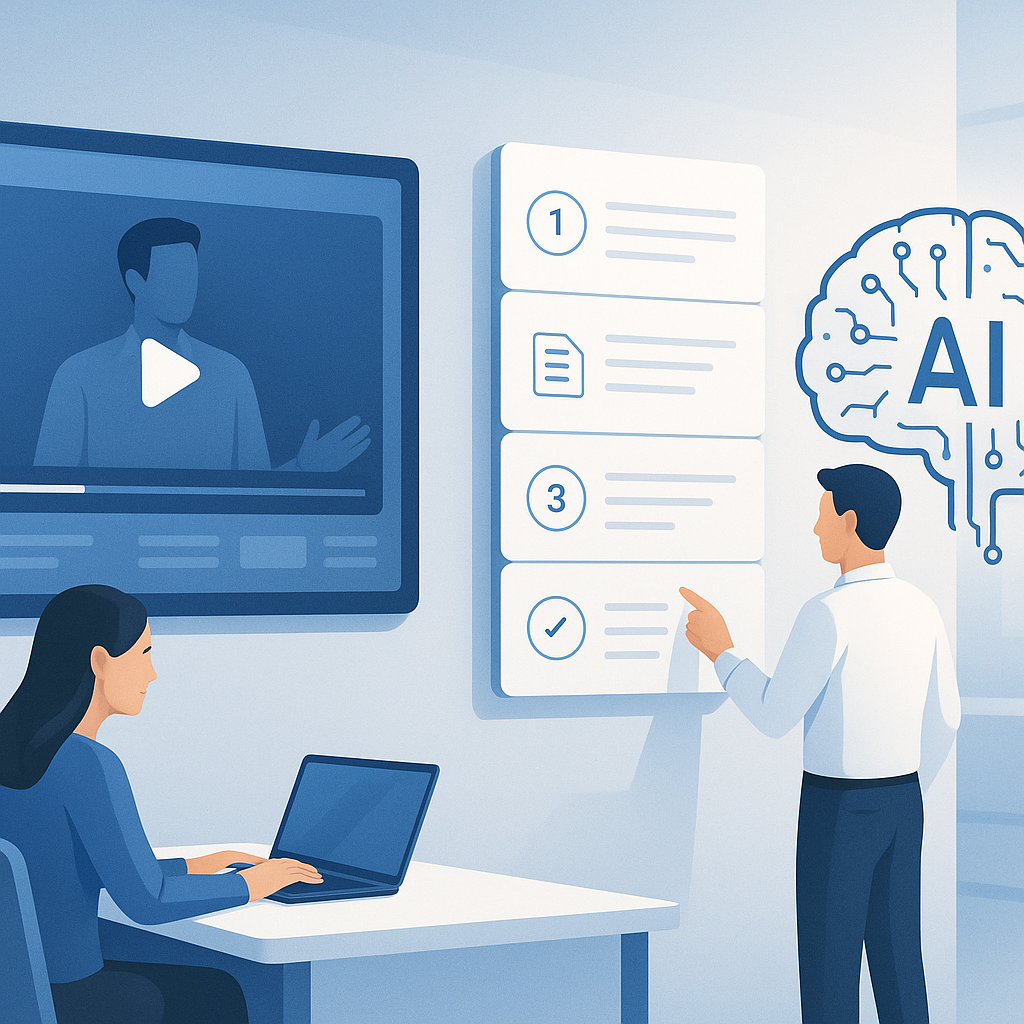
How to Transform Blog Posts into Engaging Video Content with AI
TL;DR
- Turn blog posts into video content quickly using AI-powered tools for scripting, voice, and visuals.
- Use a repeatable workflow to repurpose content (content repurposing) across formats and distribution channels.
- Focus on storytelling, pacing, and accessibility to boost watch time and engagement—key drivers in video marketing.
- Track metrics like watch completion, CTR, and shares to refine future blog-to-video projects.
- Pro tip: Start with one high-impact post, then scale using templates, AI prompts, and automation to build a library of videos.
Introduction
Blog content is powerful, but attention spans are shorter than ever. Readers skim, scroll, and move on, while videos grab attention faster, convey tone, and boost retention. If you publish blog posts, you’ve got a treasure trove of content ready for repurposing. The challenge is turning that text into engaging, high-quality video without burning out your team or blowing the budget.
That’s where AI comes in. With the right tools and a pragmatic workflow, you can transform blog posts into videos that educate, entertain, and convert. This article walks you through a practical, end-to-end approach to turning blog to video using AI, without sacrificing voice, branding, or quality. You’ll learn how to plan, automate, optimize, and distribute video content that aligns with your content marketing goals and your audience’s preferences.
From my experience working with teams across marketing, product, and education sectors, AI isn’t about replacing humans; it’s about augmenting them. You’ll still need a thoughtful narrative, a coherent visual style, and a strategy for distribution. But the heavy lift—transcribing, scripting, voice generation, and editing—can be streamlined with AI-powered workflows and smart automation.
Quick note: the best results come from starting small, validating with data, and iterating. Don’t aim for a perfect first video—aim for a repeatable process you can improve over time.
Pro tip: Treat each blog post as a modular asset. Break it into core ideas, examples, and calls to action. Build video chapters around those modules so you can reuse segments for future content.
Main Content Sections
1) Plan the blog-to-video One-Pager: Define goals, audience, and format
The cornerstone of a successful blog-to-video project is a solid plan. Before you generate scripts or visuals, answer a few key questions.
- What’s the goal of the video? (Top-of-funnel awareness, mid-funnel education, demo or case study, etc.)
- Who’s the audience? (Decision-makers, developers, marketers, students, etc.)
- Which video format fits your blog post? (Short explainer, step-by-step tutorial, quick-case study, interview-style)
- What’s the ideal length? (40–90 seconds for social clips, 2–4 minutes for YouTube, 8–12 minutes for in-depth tutorials)
- Where will it live? (Website, YouTube, LinkedIn, Instagram, TikTok, newsletter)
From a content automation perspective, you can map each blog post to a templated video format. For example:
- Template A: “What is X?” explainer (60–90 seconds)
- Template B: “How to do Y in 4 steps” tutorial (2–4 minutes)
- Template C: “Case study in 3 minutes” (3–5 minutes)
Pro tip: Create a one-page “blog-to-video brief” for each post that captures: core thesis, 3-5 key points, a CTA, and any required branding elements (logo, color palette, typography).
Quick note: If your post is long, identify 2–3 main takeaways that can become separate micro-videos later. This is the heart of content repurposing.
2) Build an AI-powered script and voice workflow: Let AI draft, polish, and narrate
Turning a blog post into video starts with a script. The script should be concise, conversational, and suited to spoken dialogue. AI can help draft, refine, and tailor scripts to your brand voice. Here’s a practical, repeatable workflow:
-
Step 1: Extract the core narrative
- Take your blog post and outline the main sections: hook, problem, solution, examples, and conclusion.
- Identify 3–5 supporting points or data points. These become the pillars of your video script.
-
Step 2: Draft a video script with AI
- Use an AI writing model to convert the outlined points into a spoken script. Provide prompts like:
- “Rewrite this outline as a 90-second, friendly, conversational script for a blog-to-video on content repurposing.”
- “Keep a warm, confident tone. Use simple language, short sentences, and 2–3 analogies.”
- Prompt example: “Turn the following 600-word blog post into a 90-second script with 3 bullet points, a hook, and a clear CTA. Make it skimmable with short sentences.”
-
Step 3: Edit for readability and pacing
- Read aloud the draft. Watch for run-on sentences, jargon, and abrupt transitions.
- Shorten sentences to 15–20 words on average. Break up paragraphs into 2–3 lines of dialogue to mimic natural speech.
-
Step 4: Narration: AI voices or human voice with AI assistance
- Options:
- AI voice: Use a neural TTS (text-to-speech) voice with natural prosody and emphasis. Look for dynamic voices that allow emphasis on key words.
- Human + AI: Record a real voiceover and use AI for breathing room and pacing edits, or for generating alternate takes and pronunciation corrections.
- Quick note: If your brand voice relies on specific tone and accent, pair AI with a subtle human touch—adjust pitch, tempo, and emphasis to fit your brand.
-
Step 5: Adjust for pacing and duration
- The same script can be trimmed or expanded. If you target 60 seconds, aim for around 130–150 words. For 3 minutes, 450–500 words are typical.
Pro tip: If you’re new to AI voice, start with a neutral, friendly tone and avoid overly robotic cadences. Use pause cues (commas, periods) to give the listener time to absorb content.
3) Visuals, scenes, and assets: From text to compelling visuals with AI
Video is a visual medium. The visuals should reinforce the narrative, not distract from it. AI can help generate storyboards, scenes, and graphics that align with each part of your script.
-
Visual strategy
- For each script segment, map to a visual concept:
- Hook: an eye-catching animation or bold typography
- Problem: scenario visuals or stock footage illustrating the pain point
- Solution: diagram, icons, or process flow
- Examples: quick screenshots, product demos, or customer logos
- CTA: brand end card and a clear call to action
- Maintain a consistent style guide: color palette, typography, iconography, and logo usage.
-
AI-powered visuals
- Use AI-powered video editors to auto-synchronize visuals with the script, add lower thirds, and generate motion graphics.
- AI stock libraries can suggest relevant video clips or illustrations based on keywords in your script.
- For explainer-style videos, consider AI-assisted whiteboard or kinetic typography visuals to convey concepts efficiently.
-
B-roll and stock considerations
- Balance original visuals with stock footage to keep production time reasonable.
- Use AI to tag and organize stock assets by topic, color, or mood to speed up the assembly process.
-
Accessibility and inclusivity
- Add captions (AI-generated captions are common and increasingly accurate).
- Provide alt text for visuals and ensure color contrast meets accessibility standards.
Pro tip: Create a reusable visual template for your brand that aligns with your blog’s topic. A single template can be reused across multiple posts, turning blog-to-video into a scalable content automation workflow.
4) Assemble, polish, and publish: A repeatable production cycle
After scripting and visuals, the final stage is assembly, refinement, and distribution.
-
Video assembly
- Use a video editor with AI-assisted features for auto-syncing voice, visuals, and music.
- Sync transitions to beat or emphasis cues in the narration to keep energy steady.
-
Music and sound design
- Add a subtle music bed that matches the video’s tempo and tone. AI tools can suggest tracks based on mood.
- Use AI to adjust volume levels, reduce background noise, and prevent clipping.
-
Branding and end screens
- Include your logo, color cues, and a CTA overlay at the end of the video.
- Add captions and a text overlay for key takeaways to improve retention.
-
Quality checks
- Watch the video end-to-end for pacing, clarity, and branding alignment.
- Check accessibility: captions, readable font sizes, and color contrast.
-
Publishing and metadata
- Write a compelling title and description that incorporate your target keywords: blog to video, content repurposing, video marketing, content automation.
- Add chapters or timestamps if the platform supports them, and create a short thumbnail that teases the value proposition.
-
Distribution plan
- Cross-post to YouTube, LinkedIn, and your blog page. Create short teaser clips for social platforms.
- Repurpose the same video into shorter cuts or snippets for Instagram Reels, TikTok, and Twitter/X.
Quick note: Data-backed distribution matters. If you publish a video and don’t promote it across channels, it’s easy to miss the engagement. Schedule releases, pull in your email list, and encourage your audience to comment or ask questions to drive interaction.
Pro tip: Start with a single, high-impact blog post and scale
Choose a cornerstone post that already performs well in organic search or social shares. Create a 2–3 minute video version first, then expand to 60–90 second social clips and a longer tutorial if needed. This approach keeps quality high while gradually expanding your video library, which is ideal for content automation.
Quick note: Build your video library with modular components—hooks, problems, solutions, and examples—so you can mix and match for future posts. This reduces production time and helps you maintain a consistent voice.
FAQ Section
- What does “blog to video” mean, and why should I try it?
- Blog to video is the process of transforming written blog content into video format using AI tools and human input. It’s a powerful way to expand reach, improve engagement, and repurpose content into multiple formats (video, audio, social clips). Video marketing often drives higher engagement than text alone; it’s faster for audiences to digest complex ideas, and video can be discovered via search as well as social feeds.
- What AI tools do I need for a blog-to-video workflow?
- AI writing assistants for scripting (to translate your outline into spoken language)
- AI voice tools or TTS (text-to-speech) for narration
- AI video editors for auto-syncing, scene generation, and transitions
- AI image/graphics generators for visuals and icons
- AI captioning and accessibility tools
- Optional: AI analytics to track performance and suggest optimizations
- You don’t need to invest in everything upfront—start with one or two core tools and expand as you scale.
- How do I maintain brand voice and quality when using AI?
- Create a brand voice guide (tone, vocabulary, preferred sentence length, humor level).
- Provide AI prompts with explicit constraints (e.g., “keep it under 90 seconds, friendly tone, avoid jargon”).
- Run a human review step before finalizing. The best practice is to let AI draft, then have a human editor refine to your brand standards.
- Use templates that incorporate your brand visuals, fonts, colors, and logo.
- How long does it take to transform a blog post into a video?
- With a streamlined workflow and seasoned templates, a well-structured post can be converted into a 2–4 minute video in 1–2 hours. Shorter social clips can be produced in 30–60 minutes. The first few videos may take longer as you refine prompts and visuals, but you’ll speed up quickly with templates and automation.
- What are the best practices for scripting a blog-to-video script?
- Start with a strong hook (first 5–7 seconds) that promises value.
- Structure the script around a problem-solution narrative.
- Use short sentences, conversational tone, and clear calls to action.
- Include 2–3 concrete examples or data points to illustrate your points.
- End with a crisp CTA and a teaser for future content.
- How do I ensure accessibility and inclusivity in AI-generated videos?
- Add accurate captions and provide a transcript.
- Use inclusive language and diverse visuals.
- Ensure color contrast is accessible and consider alt text for all visuals.
- Provide options for audio-only consumption (podcast-style) if your audience prefers.
- How should I measure success and ROI for blog-to-video efforts?
- Key metrics: watch time and completion rate, average view duration, engagement rate (likes, comments, shares), click-through rate (CTRs) from descriptions and CTAs, social shares, traffic from video pages, and conversion metrics tied to the video’s CTA (newsletter signups, trial requests, purchases).
- Track performance against your goals (brand awareness, list growth, lead generation). Use A/B testing to optimize thumbnails, titles, and descriptions.
- Can I repurpose existing videos back into blog posts or other formats?
- Absolutely. Transcripts from videos can be converted into blog posts, summaries, or social excerpts. A strategic approach is to treat video performance data as a guide for what topics and formats to produce next. If a video on a specific concept performs well, you can write a more in-depth blog post or create a quick cheat sheet and share it as a downloadable asset.
- What makes a blog-to-video workflow scalable?
- Consistent templates and prompts across posts
- A library of modular video assets (hooks, intros, lower-thirds)
- Automation for captioning, thumbnail generation, and metadata
- A schedule and distribution plan across channels
- Clear ownership and review processes to maintain quality
- How do I avoid the common pitfalls of AI-generated videos?
- Don’t rely on AI alone for accuracy; fact-check data and claims.
- Keep scripts concise and audience-focused; avoid overly dense explanations.
- Maintain brand voice and visual identity across videos.
- Ensure accessibility features (captions, transcripts) are included.
- Start small, test, learn, and iterate. Scale gradually to maintain quality.
Data-backed context and practical insight
- Video is increasingly central to content strategies. A large share of internet traffic is expected to be video, and platforms prioritize video content in feeds and search results. For marketers, even partial adoption of video can yield higher engagement than text-only formats.
- For leading pages and campaigns, adding video can boost conversion and engagement. Industry studies indicate that including video on landing pages can increase conversions by up to 80%, a strong argument for integrating video into your content pipeline.
- The value of repurposing is clear: blog posts are a content asset that can be reimagined into multiple formats (video, podcast, slide decks, social clips). This approach supports content automation by turning a single source into a library of assets that feed multiple channels.
From my experience, the most effective blog-to-video programs don’t aim for one perfect video per post. They aim for a robust, repeatable process that produces a primary video plus multiple micro-clips that can be shared across social channels. This is the essence of content repurposing within a broader video marketing strategy.
Pro tip: Make a backlog of 10–20 evergreen blog posts you know your audience loves. Prioritize those for video production and build out your templates so you can produce a batch of videos in a single sprint.
Conclusion
Transforming blog posts into engaging video content with AI isn’t magic—it’s a practical, repeatable workflow that combines strong storytelling with automation. By planning strategically, scripting thoughtfully, generating visuals with AI, and distributing intelligently, you unlock a scalable approach to content repurposing that drives awareness, engagement, and conversions.
Key takeaways:
- Start with a clear blog-to-video plan: audience, format, and goals.
- Harness AI to draft scripts, narrate, and assemble visuals while preserving your brand voice.
- Build modular video templates so you can reuse assets across posts and formats.
- Prioritize accessibility, pacing, and storytelling to maximize engagement.
- Measure performance, iterate, and scale gradually to build a robust video library.
If you treat AI as a partner in your content automation journey, you’ll create a steady stream of video assets that extend the life of your blog posts, amplify your reach, and empower your marketing with richer, more versatile content.
If you want, I can tailor this approach to your specific niche, audience, and current tools. Share a sample blog post, your target platform(s), and the tone you’d like to maintain, and I’ll draft a ready-to-record blog-to-video plan with prompts, script, and visuals.